MyToolsBench
Image Cropper
This free image cropper cuts away the parts of a picture you do not want. Crop by hand, pick a ratio, type an exact size, cut from the edges or remove borders automatically. It works in your browser, and nothing is uploaded. Need to resize or convert instead? Resize or convert it.
How it looks
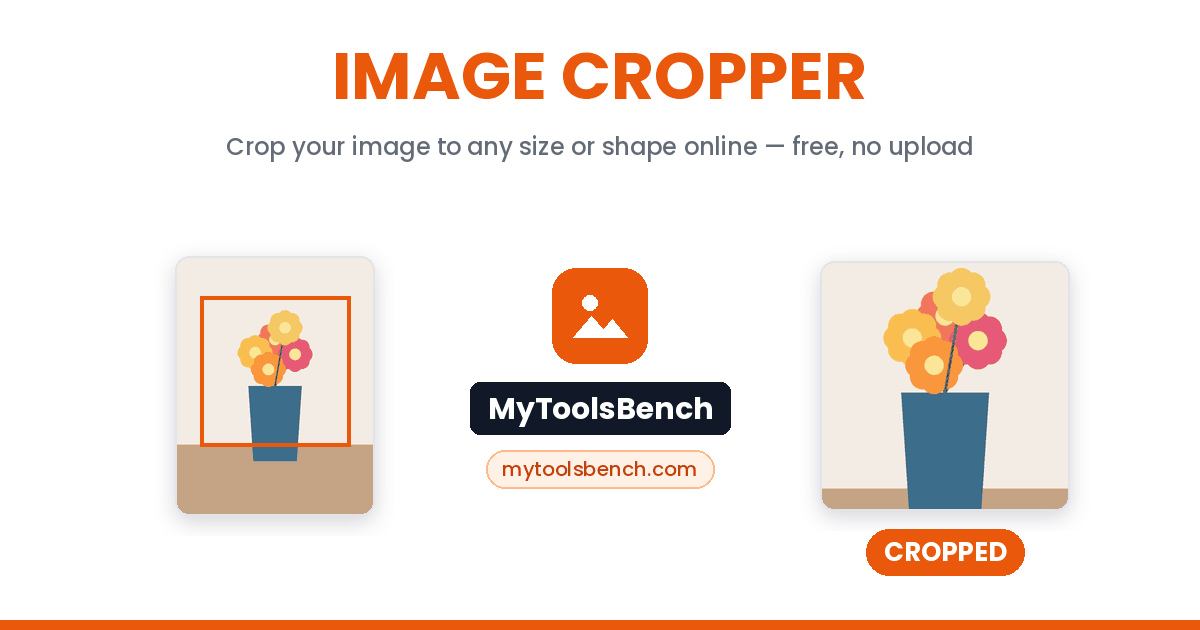
A photo cropped with this image cropper, before and after:
How to crop an image
To crop an image means to keep one part of a picture and cut away the rest. Resizing is different: it makes the whole picture smaller or bigger. Crop a photo to remove messy edges, fit a ratio or make a round profile picture. Here is how to crop a photo online, free:
- Add your pictures. Drop them in, choose files, or paste one with Ctrl + V.
- Pick how to crop: Drag & ratio (freeform, square, circle, 16:9 and more), Exact size (type the width, height and position in pixels), Cut from edges (trim pixels or a percentage from each side) or Auto-remove borders (finds plain borders for you).
- Click Apply Crop. The tool moves to the next picture. Tick Use this crop for all remaining images to crop a whole batch at once, then download each file or all of them as a ZIP.
Drag to the pixel
Move and resize the crop box freely, or lock it to a ratio so it keeps its shape.
Freehand or exact size
Crop freehand online with the Freeform box, or crop an image to a specific size by typing the pixels.
Bulk image crop
Add a whole folder. The tool shows each picture in turn, or uses one crop for all of them.
Paste and crop
Copy a screenshot, press Ctrl + V on this page and crop it right away.
Crop PNG, JPG and WebP
JPG, PNG and WebP pictures stay in their own format. GIF and BMP come out as PNG. A PNG keeps its see-through background.
Nothing is uploaded
Cropping happens in your own browser. Your photos never touch a server.
Other image tools
Cropping cuts pixels away. For the whole-image jobs, use one of these instead:
Crop to a shape
Open the cropper with the shape already selected:
Can I undo a crop?
Not after you download it. Cropping throws away the pixels outside the box. Resizing is different, because you can always start again from the original file.
Before you close the tab, click Re-crop on any row. It opens the original picture again with your last crop box, so you can change it.
A free online image cropper
This image cropper online works on any phone or computer, so you can crop image online free with nothing to install, no sign-up and no watermark. It is a photo cropper, picture cropper, photo cutter and image cutter tool in one. Wondering how to crop a picture without an app? This online cropper is it.
Crop picture online in three steps. Add it, drag the box and click Apply Crop. To crop pic online from a phone, drag the box with your finger. Every photo crop online happens in your browser. Nothing is uploaded, so each image crop online stays private.
A simple tool to crop photos. Big photo editors take time to open and learn. This cropping tool does one job well. Image cropping online here takes seconds, and you can crop image for free as often as you like.
You can crop photo files from your camera, crop images saved from the web, or crop img files from any app. Crop JPG photos, crop JPEG scans and crop PNG logos. It is a PNG cropper and a WebP cropper too, and a PNG keeps its see-through background.
Trim and auto crop. Need to cut image edges away fast? Cut from edges is a quick image trimmer: trim image borders, a watermark strip or a taskbar from a screenshot. That is also how to trim a picture with a frame around it. Auto-remove borders is an auto crop image tool. It finds plain white, black, coloured or see-through borders and crops them off for you.
Screen crop. Take a screenshot, press Ctrl + V here, and keep just the part you need. For a custom crop image size, switch to Exact size and type the pixels.
Crop and resize. Need to crop and resize image files? Crop here first, then set the final size with the image resizer.
Crop a profile picture or avatar
Most sites show a profile picture as a circle. To crop profile picture files the right way, pick the Circle preset. You see the round mask while you crop, so you know exactly what stays.
Keep the face in the middle, with a little space around the head. For a headshot crop, frame from just above the hair to the top of the shoulders. You get a PNG with see-through corners, ready for a quick pfp crop.
This works as an avatar cropper and profile pic cropper for Discord, Slack, forums and games, and it makes profile picture cropping easy. Use circle crop to open the cropper with the circle already chosen.
Choosing a crop ratio
Pick the ratio for where the picture is going. Choosing a ratio turns this into an aspect ratio cropper: the box keeps its shape while you drag it.
1:1 is a square. Crop image 1:1 for profile pictures, product photos and square posts.
16:9 is the shape of videos and most computer screens. Crop image to 16:9 for YouTube thumbnails, video-call backgrounds and wide website headers. To crop 16:9 fast, pick Widescreen. 9:16 is the same shape turned upright. A 9:16 crop fills a phone screen for Stories and Reels.
4:3 and 3:4 are what most phone cameras take, and 3:2 is what most cameras take. Crop back to these when you only want to tidy the edges.
2:1 is a wide strip for banners. To crop 2:1 aspect ratio pictures, choose Custom in More ratios and type 2 and 1. Custom works for any crop image with aspect ratio you need.
To crop pics for Instagram, use 1:1 for square posts, 4:5 for portrait posts and 9:16 for Stories.
Freeform is for everything else: cutting a person out of a group photo, or keeping one part of a screenshot. The box moves with no limits.
Frequently asked questions
How do I crop a picture?
Add the picture, drag the box over the part you want to keep and click Apply Crop. Then download it. That is all it takes to crop an image online.
How do you crop a photo on a phone?
Open this page in your phone’s browser, tap Choose Files and pick the photo. Drag the box with your finger, tap Apply Crop and download.
What does the crop tool do?
It keeps the part of a picture inside the box and removes the rest. The picture is not made smaller or bigger. It only loses its edges.
Is this image cropper free?
Yes. It is a free photo cropper with no sign-up, no watermark and no limit on how many pictures you crop.
Can I crop a PNG without losing transparency?
Yes. This works as a transparent image cropper. For any online crop PNG job, a PNG stays a PNG and keeps its see-through background.
How do I crop an image to 16:9?
In Drag & ratio, pick Widescreen 16:9. The box locks to that shape. Move it over the part you want and click Apply Crop.
How do I crop a profile picture?
Pick the Circle preset, put the face in the middle and click Apply Crop. You get a PNG with see-through corners that any app shows as a clean circle.
Why does the Circle option give a square picture with see-through corners?
Picture files are always rectangles. The Circle preset crops a square and makes everything outside the circle see-through, so the file is always a PNG. Apps that show it in a circle (Instagram, Slack, Gmail) show a clean circle. Opened on its own, you see the square with see-through corners.
How can you crop a picture without losing quality?
Just crop it here. The pixels you keep are copied exactly. Only JPG files are compressed again when they are saved, the same as any JPG save.
Can I crop many images at once?
Yes. Add many at once and the tool shows them one by one, because every photo needs its own box. Or tick Use this crop for all remaining images for a multiple crop in one click. Then download them all as a ZIP.
Is there a limit on file size or how many files I can crop?
No. Cropping runs in your browser, so there is no upload, no queue and no limit. Very large pictures may take a moment to open on a slow device.
Are my images uploaded anywhere?
No. Cropping happens in your browser. Nothing is sent, stored or logged, and the page still works if you go offline after it loads.